

GolfTechIQ is reader-supported. When you buy through links on this page, we may earn a commission at no extra cost to you. As an Amazon Associate, we earn from qualifying purchases.
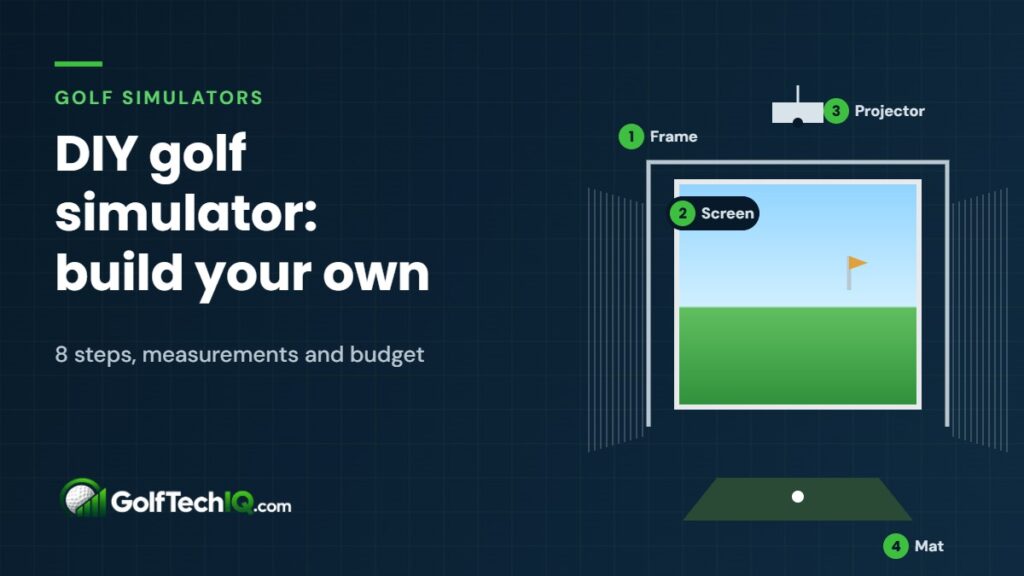
Short answer: you can build a DIY golf simulator in a weekend with five parts: a launch monitor, an impact screen on a simple frame, side netting or curtains, a hitting mat and a short-throw projector connected to a PC running simulator software. Building the frame yourself is where you save the most. A budget DIY build runs roughly $3,000–$5,000, compared with $5,000–$7,000 for a similar setup bought as a package.
Here’s the full build, step by step, with the measurements that matter. Before you buy anything, check your room in the golf simulator room size calculator.
What you need
| Part | DIY option | Approx. cost |
|---|---|---|
| Launch monitor | Budget radar or side-of-ball camera unit | $500–$1,700 |
| Impact screen | Standalone screen sized to your room | $216–$1,400 |
| Frame | 1″ EMT conduit with a fitting kit, or 2×4 lumber | $100–$1,200 |
| Side protection | Netting or heavy curtains on a ceiling track | $100–$400 |
| Hitting mat | Mid-range mat | $300–$1,500 |
| Projector + mount | Short-throw projector and ceiling mount | $800–$2,900 |
| Computer + software | Gaming PC and GSPro or E6 Connect | $800–$1,500 + ~$250/yr |
Step 1: Measure the room
Measure ceiling height, width and depth, and do a few slow swings with your driver where the mat will go. Plan for about 9–10 feet of ceiling, 12–15 feet of width and 15–20 feet of depth, depending on your launch monitor. Our guide to how much space you need for a golf simulator explains each number, and if you’re building in a garage, read golf simulator in a garage first.
Step 2: Choose your launch monitor
Your room decides this. Radar units like the Garmin R10 and Rapsodo MLM2PRO sit 6–8 feet behind the ball and need a deep room. Camera units that sit beside the ball work in shorter rooms. Compare options in best launch monitors for small rooms and Garmin R10 vs. Rapsodo MLM2PRO.
Step 3: Build the frame and hang the screen
This is the heart of a DIY build. You have two main options:
- EMT conduit frame: the most popular DIY route. Kits like the Carl’s Place DIY enclosure include the fittings and screen, and you buy 1-inch EMT conduit (sold in 10-foot lengths in the electrical aisle at home improvement stores) and cut it to size. Note that PVC isn’t strong enough for these kits.
- 2×4 lumber frame: cheap and very sturdy, especially if you can anchor it to the wall or ceiling. Slotted angle iron along the inside edge gives you easy attachment points for the screen.
Measurements that matter:
- Frame size: make the frame slightly larger than the screen, about 1/8 to 1/4 inch on each side, so the screen can be tensioned.
- Frame depth: 2 feet if it’s attached to the wall or ceiling, or 3–5 feet if it’s freestanding.
- Gap from the back wall: leave about 10–12 inches behind the screen so balls don’t hit the wall.
- Tension: attach the screen with ball bungees or stretch cords and keep it snug, not drum-tight. An over-tightened screen acts like a trampoline and sends the ball back at you.
Step 4: Add side protection
Mishits go sideways. Add netting or heavy curtains on each side of the screen, hung from a ceiling track so they can be pulled back when you’re done. Pad any exposed frame edges, and close gaps between the screen and frame so balls can’t slip through.
Step 5: Lay the hitting mat
Put the mat where your launch monitor needs the ball: centered for most setups, or set to the side if a camera unit needs room next to the ball. A good mat is worth the money; cheap mats are hard on your wrists and elbows and hide fat shots. Add turf around the mat if you want a finished look. See our best golf hitting mats for picks.
See golf hitting mats on Amazon
Step 6: Mount the projector
Use a short-throw projector so it sits close to the screen and out of your swing path. BenQ recommends a throw ratio of about 0.69–0.89 for golf, and around 3,000 lumens is a good target so the image stays bright. Mount it on the ceiling outside the hitting area so you don’t cast a shadow, and use a projector throw calculator to find the right distance for your screen size.
See short-throw projectors on Amazon
Step 7: Set up the computer and software
Many launch monitors run on a phone or tablet app, which is fine to start. For full course play on the big screen, connect a Windows gaming PC to the projector and run software like GSPro (about $250 a year) or E6 Connect (plans from about $300 a year). Check that your launch monitor supports the software you want before you buy it.
Step 8: Light it and test
Light the hitting area without spilling light onto the screen; dimmable LED fixtures aimed at the mat work well. Then hit some easy wedges first, check that balls land safely in the screen, and make sure the launch monitor is reading every shot before you pull out the driver.
DIY build checklist
- Room measured and driver swing tested
- Launch monitor chosen to fit the room depth
- Frame built slightly larger than the screen
- Screen 10–12 inches off the back wall, snug but not tight
- Side netting or curtains, with gaps closed and edges padded
- Mat placed where the launch monitor needs the ball
- Short-throw projector mounted outside the swing path
- PC and software tested with your launch monitor
- Lighting on the mat, not the screen
FAQ
Is it cheaper to build your own golf simulator?
Usually, yes. The biggest savings come from building the frame yourself and choosing a budget launch monitor. The launch monitor, projector and screen cost about the same either way.
Can I use PVC pipe for a golf simulator frame?
It’s not recommended. PVC can crack or bend under repeated ball impacts, and popular DIY kits specifically require 1-inch EMT steel conduit instead.
Do I need a projector?
No. You can hit into a net and watch your shots on a phone, tablet or TV. A projector and impact screen are what make it feel like playing a real course.
How long does a DIY golf simulator take to build?
Most kit-based builds take a weekend. Custom lumber frames, projector mounting and wiring can take longer, especially if you’re adding lighting or turf.
Sources: Carl’s Place, DIY enclosure kit assembly; Rain or Shine Golf, DIY golf simulator guide; AmateurGolf.com, building a simulator frame; BenQ, golf simulator projector setup; PlayBetter, Carl’s Place prices.
Keep reading
 Ceiling Height for a Golf Simulator: How High Is High Enough?
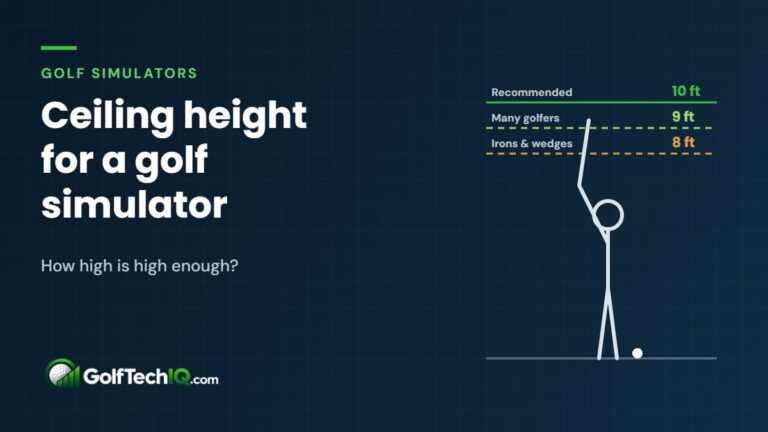
Plan on a 10-foot ceiling to swing a driver freely in a golf simulator; many golfers can make 9 feet…
Ceiling Height for a Golf Simulator: How High Is High Enough?
Plan on a 10-foot ceiling to swing a driver freely in a golf simulator; many golfers can make 9 feet…
 Golf Simulator for Home: How to Choose the Right Setup (2026 Guide)
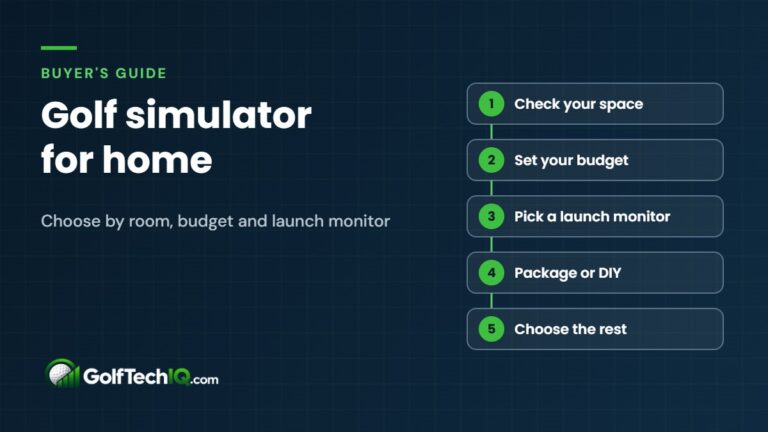
Choosing a golf simulator for home comes down to your room, your budget and a launch monitor that fits both.…
Golf Simulator for Home: How to Choose the Right Setup (2026 Guide)
Choosing a golf simulator for home comes down to your room, your budget and a launch monitor that fits both.…
 How Much Does a Golf Simulator Cost? Real Budgets from $1,000 to $15,000+
A home golf simulator costs about $1,000 for a practice setup, $5,000 to $7,000 for a full simulator and $15,000+…
How Much Does a Golf Simulator Cost? Real Budgets from $1,000 to $15,000+
A home golf simulator costs about $1,000 for a practice setup, $5,000 to $7,000 for a full simulator and $15,000+…