

GolfTechIQ is reader-supported. As an Amazon Associate, we earn from qualifying purchases.
Short answer: The SkyTrak+ is still one of the best value home simulator launch monitors you can find, as long as you buy it for an indoor room and plan on SkyTrak’s own app. It pairs a photometric camera with dual Doppler radar, sits beside the ball, and gives you full ball data plus club speed, path and face angle. It’s discontinued, so expect about $900 to $1,200 for leftover or certified pre-owned units, plus about $130 to $600 a year if you want practice tools or courses.
Holiday deals (checked Nov. 10, 2026)
- SkyTrak+: PlayBetter’s $1,195 clearance is sold out; the newer SkyTrak ST MAX is $1,695 (list $2,995) through Nov. 12.
- SkyTrak ST MAX: $1,695 (list $2,995) in SkyTrak’s Holiday Sale through Nov. 12; PlayBetter adds a free year of Foresight course play. Check Amazon price
- Uneekor EYE MINI: $1,999 (list $4,500) at PlayBetter. EYE MINI LITE: $1,699 (list $2,750) at Shop Indoor Golf with a free year of GSPro.
Sale prices change daily. Black Friday is Nov. 27 and Cyber Monday is Nov. 30; we update this box every week through Cyber Monday.
We didn’t test these ourselves. We picked them by the numbers: tracking technology, data parameters, space needed around the ball, hardware price, yearly membership cost and which simulator software each unit can actually run today. Prices change often, especially on a closeout product, so treat every price here as approximate.
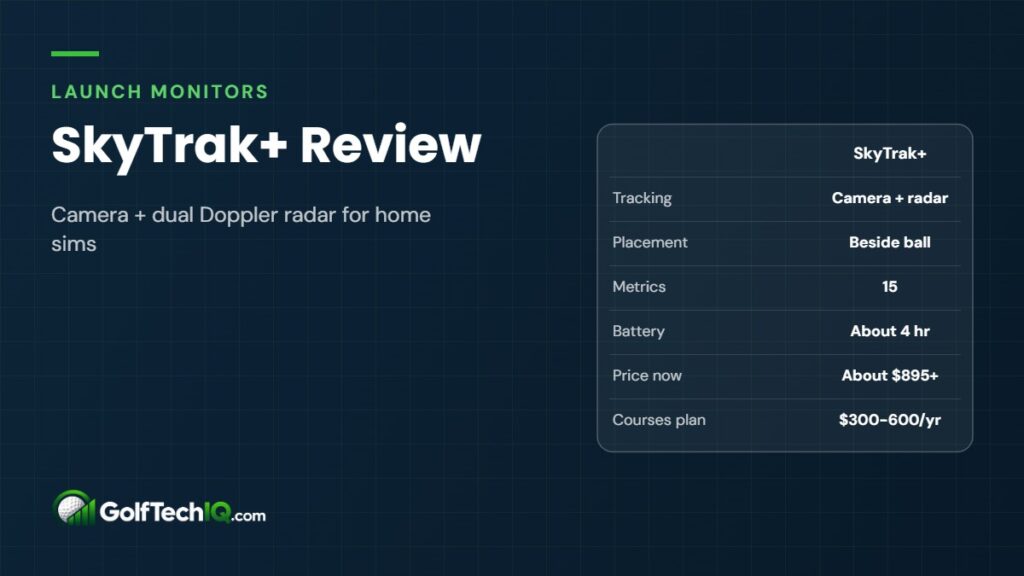
SkyTrak+ at a glance
| Spec | SkyTrak+ (ST+) |
|---|---|
| Tracking | Photometric camera + dual Doppler radar |
| Placement | Beside the ball (about 18 in. away) |
| Ball data | Ball speed, launch angle, side angle, back spin, side spin, carry, total, descent angle, shot shape |
| Club data | Club head speed, smash factor, club path, face angle, face-to-path |
| Not measured | Angle of attack, impact location |
| Stickers or special balls | None needed |
| Battery | Lithium-polymer, about 4 hours |
| Connection | Wi-Fi or USB cable |
| Devices | iPad/iPhone, Mac, Windows PC, Android |
| Size / weight | About 6.9 x 8.8 x 2.5 in., 1.7 lb |
| Launch price | About $2,495 to $2,995 (USD, over its life) |
| Price now | About $895 certified pre-owned; about $1,195 new when in stock |
| Memberships | Basic free; Essential about $130/yr; Core about $300 to $350/yr; Elite about $600/yr |
| Status | Discontinued; replaced by SkyTrak ST MAX |
What the SkyTrak+ is (and what changed from the original)
The original SkyTrak was a camera-only unit. It was very good at ball launch and spin but had no club data. The SkyTrak+ arrived in 2023 and added a dual Doppler radar system, a faster processor and a better camera. The radar is what gives you club head speed, path and face angle, which the old unit simply couldn’t measure.
You don’t need metallic stickers on your clubs or special marked balls. A clean white ball with a logo or line facing the unit is all SkyTrak asks for.
In late 2025 SkyTrak released the ST MAX. Retailers describe it as the same core tracking with a faster processor, dual USB-C ports, GOLFTEC speed training and a new charcoal finish. That made the SkyTrak+ a closeout item. SkyTrak has said it will keep supporting units already in customers’ hands, and both models run on the same app.
Data parameters: what it measures
SkyTrak lists 15 metrics for the ST+. The ball side comes mostly from the camera, which photographs the ball just after impact. That’s the same basic approach used by much more expensive photometric units, and it’s why SkyTrak has always been strong on spin.
- Ball data: ball speed, launch angle, side angle, back spin, side spin, carry distance, total distance, descent angle and shot shape.
- Club data: club head speed, smash factor, club path, face angle and face-to-path.
- Missing: angle of attack, dynamic loft and face impact location. If you’re working on a steep downswing or strike pattern, this matters.
On accuracy, SkyTrak points to robot testing at Golf Laboratories where ball speed, launch, spin and side angle closely matched leading commercial monitors. Independent reviewers comparing it against a TrackMan have generally found club speed, carry and spin close, with side numbers the weakest area in some tests. That’s a fair summary for this price class: very good for practice and sim play, not a tour-fitting tool.
Space requirements
This is where the SkyTrak+ shines. Because it sits next to the ball instead of 6 to 8 feet behind you like many radar units, it doesn’t add depth to your room. You only need room to swing and enough distance for the ball to reach the screen safely.
- Small but workable: about 10 ft wide, 10 ft deep and 9 ft tall, per retailer guidance for the SkyTrak+.
- Ceiling: 9 ft is the usual floor; taller golfers with long driver swings need more.
- Lefties: the unit faces the golfer, so a mixed righty/lefty household has to move it to the other side between players. Leave width for both setups.
Plug your own room into our golf simulator room size calculator before you buy, and see our guide to ceiling height for a golf simulator if you’re tight on height.
Indoor vs outdoor: built for the sim room
SkyTrak markets the ST+ as working indoors and outdoors, and the newer camera did improve outdoor reads on mats. In practice it’s an indoor-first design. Its own support notes tell you to keep direct sunlight off the lens, use a covered area, and hit off a mat or a tee because grass and debris kicked up by irons can spoil the shot capture.
It also has no built-in display, so you always need a phone, tablet or computer, and the battery is rated at about 4 hours. If you mainly want a range-bag monitor for grass practice, a radar-first unit placed behind the ball is a better fit. If you want a garage, basement or spare-room simulator, the SkyTrak+ is right at home. A good golf hitting mat helps it read cleanly.
Membership plans and costs
The SkyTrak+ works without a subscription, but only at a basic level. SkyTrak reorganized its plans in 2025. Here’s how they line up today:
| Plan | Approx. price | What you get |
|---|---|---|
| Basic | Free | Driving range with shot data, Sim Club, PinSeeker contests |
| Essential | About $130/yr | Practice ranges, bag mapping, skills assessments, progress tracking |
| Core: Foresight | About $300/yr | Essential plus Foresight course pack (30+ courses, Pebble Beach), new courses monthly |
| Core: TrackMan | About $350/yr | Essential plus TrackMan course pack (30+ courses), new courses monthly |
| Elite | About $600/yr | Both course packs, two new courses a month, shop and GOLFTEC discounts |
Course counts vary a bit by source and keep growing, so check SkyTrak’s page for the current list. New units usually include a short trial, and some retailers have bundled a free year of the Foresight course package. If you want to play real courses, budget at least $300 a year on top of the hardware.
Simulation software: SkyTrak app, GSPro, E6, TGC 2019
This is the biggest change for new buyers, and it’s easy to miss in older reviews.
- SkyTrak app Course Play: the main way to play courses now. It runs Foresight and TrackMan course libraries natively, including on an M1 or newer iPad or Mac, so you don’t need a gaming PC.
- E6 Connect: SkyTrak has ended official third-party support for new customers. Owners who already had E6 linked can keep using it.
- The Golf Club 2019 (TGC 2019): no longer sold for new SkyTrak customers. People with an existing lifetime license keep access with at least the Essential plan.
- GSPro: never officially supported. A free community connector exists and owners on simulator forums report it working well, but SkyTrak won’t help if an update breaks it, and you still pay for your own GSPro license.
Bottom line: buy the SkyTrak+ for SkyTrak’s own app. If GSPro or E6 is the reason you want a simulator, look at a unit with official support instead (see the comparisons below).
Connection options: PC, iPad and more
The SkyTrak+ connects over Wi-Fi or a USB cable. SkyTrak’s app runs on iPad and iPhone, Mac, Windows PC and Android. Course Play has real hardware demands:
- iPad/iPhone and Mac: Apple M1 chip or newer (Mac on macOS 13 Ventura or later).
- Windows PC for Course Play: minimum Windows 10 64-bit, 8 GB RAM, a GTX 1650-class graphics card and an SSD. Retailers suggest 16 GB RAM and an RTX 3060-class card for smooth play.
- Practice only: almost any modern laptop or tablet works.
- Internet: required for first setup and license sync. On a Wi-Fi-only iPad using the unit’s direct Wi-Fi link, you lose internet while connected.
Mac and iPad course play is a real advantage. Most competitors in this price range push you toward a Windows gaming PC for full simulation.
Price and simulator bundles
The SkyTrak+ launched at about $2,995 and later settled at about $2,495 regular. As a closeout it has sold new for about $1,195 at authorized dealers, though stock comes and goes. SkyTrak itself sells certified pre-owned ST+ units for about $895 with a 90-day warranty and a 30-day return window.
SkyTrak and its dealers also sell full SkyTrak+ simulator packages. SkyTrak’s Golf Simulator Studio Pro, for example, bundles the SkyTrak+ with a steel frame, impact screen, side netting, an Optoma GT2000 HDR projector, a 5×5 hitting mat, putting turf and a 30-day Essential trial. Studio sizes run from 10 ft to 13 ft wide; pricing goes through a SkyTrak sales rep. Dealer bundles with a mat, screen and projector are common too. For a full budget, see our golf simulator cost breakdown.
Pros and cons
Pros
- Camera-measured ball data with strong spin numbers
- Club speed, path, face angle and face-to-path from the added radar
- Sits beside the ball, so it fits shallow rooms
- No stickers or special balls
- Native course play on iPad and Mac, not just PC
- Closeout and pre-owned prices are far below launch price
Cons
- Discontinued; new stock is limited
- No official GSPro, E6 or TGC 2019 for new owners
- Courses require a paid plan of about $300 to $600 a year
- No angle of attack or impact location
- Indoor-first; weak on grass and in direct sun
- Must be moved between right- and left-handed golfers
SkyTrak+ vs Bushnell Launch Pro
The Bushnell Launch Pro uses the same camera hardware as the Foresight GC3, which is a step up in pedigree. Bushnell’s 2026 Circle B lineup lists the full Launch Pro at about $2,499 and the indoor-only Launch Pro LPi at about $1,499. Like SkyTrak, it needs a subscription to be useful: about $199 a year for Silver (five courses, full club and ball data) or about $499 a year for Gold (25 courses, with GSPro access at extra cost). It adds angle of attack, which the SkyTrak+ lacks.
Pick the Bushnell if you want GSPro through an official path and are willing to pay more each year. Pick the SkyTrak+ if you want the lowest total cost and plan to stay inside one app.
Check price on Amazon Check price at The Indoor Golf Shop
SkyTrak+ vs Rapsodo MLM2PRO
The MLM2PRO costs about $700 and uses two cameras plus radar from behind the ball. It needs 6.5 to 8.5 ft behind the ball, so it eats room depth that the SkyTrak+ doesn’t. Its spin numbers depend on special marked Callaway RPT balls, while the SkyTrak+ reads any clean ball. Premium membership runs about $200 a year (or about $600 lifetime), and it officially supports GSPro, plus E6 Connect and Awesome Golf with Premium.
The MLM2PRO wins on price, outdoor range use and software choice. The SkyTrak+ wins in short rooms and on spin with normal balls. We compare the Rapsodo with another budget pick in Garmin R10 vs Rapsodo MLM2PRO.
Check price on Amazon Check price at The Indoor Golf Shop
SkyTrak+ vs Uneekor EYE MINI LITE
The EYE MINI LITE is another camera unit that sits beside the ball, at about $1,999. It reads dimple patterns on standard balls and adds Uneekor’s club imaging, with 19 data points in its VIEW software. The free Player plan covers ball and club data and a range. GSPro, E6 and TGC 2019 need the Pro plan at about $199 a year, with higher tiers up to about $599.
The catch is hardware: it needs a Windows PC with Ethernet ports and has no iPad or Mac option. Uneekor recommends at least 10 to 12 ft between ball and screen. Choose the Uneekor if you want official third-party software in a side-of-ball design and already have a PC. Choose the SkyTrak+ if you want to save about $800 to $1,100 and run courses on an iPad or Mac. Uneekor isn’t sold on Amazon, so buy through an authorized dealer.
Quick comparison
| Model | Approx. price | Placement | Yearly plan | Official GSPro |
|---|---|---|---|---|
| SkyTrak+ | $895 to $1,195 | Beside ball | $0 to $600 | No (community connector) |
| Bushnell Launch Pro LPi | $1,499 | Beside ball | $199 to $499 | Gold tier, extra fee |
| Rapsodo MLM2PRO | $700 | 6.5 to 8.5 ft behind | $0 to $200 | Yes |
| Uneekor EYE MINI LITE | $1,999 | Beside ball | $0 to $599 | Pro plan and up |
For more options that fit tight spaces, see our best launch monitors for small rooms and low ceilings.
Who should buy the SkyTrak+
- Buy it if you’re building an indoor simulator in a room under about 16 ft deep, want camera-quality spin data, and are happy using SkyTrak’s app with Foresight or TrackMan courses.
- Buy it if you’d rather run courses on an iPad or Mac than buy a gaming PC.
- Buy it if you can find a new closeout or certified pre-owned unit under about $1,200.
- Skip it if GSPro or E6 is a must and you want official support.
- Skip it if you mostly practice outdoors on grass, or need angle of attack data.
- Skip it if you want the newest hardware and a longer runway; the ST MAX (about $1,695 on sale) shares the same tracking with a faster processor.
Verdict
By the numbers, the SkyTrak+ is a strong closeout buy for home simulators. Camera ball data, radar club data, side-of-ball placement and iPad or Mac course play are a rare mix at about $900 to $1,200. The trade-offs are real: no official third-party software for new owners, a yearly plan if you want courses, and no angle of attack. If those don’t bother you, it’s hard to beat on total cost in a small indoor room.
Part of our guide: Launch Monitor Guide
FAQ
Does the SkyTrak+ require a subscription?
No. The free Basic plan gives you a driving range with shot data. Practice tools need the Essential plan at about $130 a year, and course play needs Core (about $300 to $350) or Elite (about $600).
Can I use GSPro with a SkyTrak+?
Not officially. A free community connector is widely used and owners report it works, but SkyTrak doesn’t support it, and you need your own GSPro license.
How much room does the SkyTrak+ need?
About 10 ft wide, 10 ft deep and 9 ft tall is a common minimum, with more width and depth being more comfortable. Because the unit sits beside the ball, it doesn’t need extra space behind you.
Is the SkyTrak+ discontinued?
Yes. The ST MAX replaced it in late 2025. SkyTrak says it will keep supporting existing SkyTrak+ units, and both run the same app.
Can the SkyTrak+ be used outdoors?
It can, ideally on a mat or off a tee and out of direct sun. It’s really designed for indoor use, and reviewers report weaker results hitting irons off grass.
Does the SkyTrak+ work with an iPad?
Yes. The SkyTrak app runs on iPad, and course play needs an M1 chip or newer. Mac, Windows PC and Android are supported too.
Sources: SkyTrak: Guide to the new memberships, SkyTrak: ST+ Certified Pre-Owned, SkyTrak: Golf Simulator Studio Pro, SkyTrak Knowledge Base FAQ, PlayBetter: SkyTrak+ software, PlayBetter: SkyTrak+ space requirements, PlayBetter: SkyTrak+ vs ST MAX, MyGolfSpy: Bushnell Circle B Launch Pro, PlayBetter: Rapsodo MLM2PRO, PlayBetter: Uneekor EYE MINI LITE
Keep reading
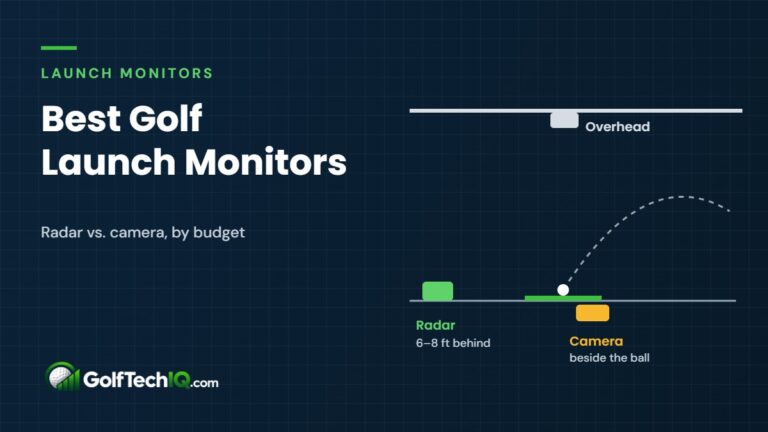 Best Golf Launch Monitors (2026): 10 Picks by Budget
The best golf launch monitors of 2026 compared by price, room space, data and yearly subscription, from the $200 Shot…
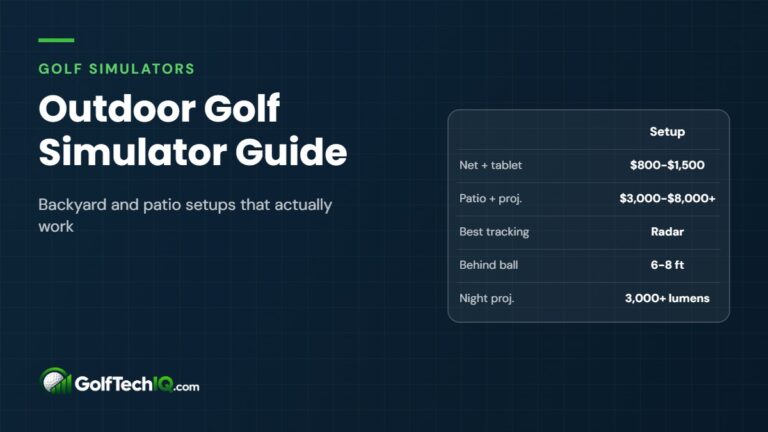 Outdoor Golf Simulator: Backyard and Patio Setups That Actually Work
How to build an outdoor golf simulator that holds up: net, patio, pergola and pop-up setups, launch monitors that work…
 Best Golf Simulator Software (2026): GSPro vs. E6 and More
GSPro, E6 Connect, Awesome Golf and launch monitor apps compared on price, courses, devices and compatibility, with 2026 pricing.