

GolfTechIQ is reader-supported. As an Amazon Associate, we earn from qualifying purchases.
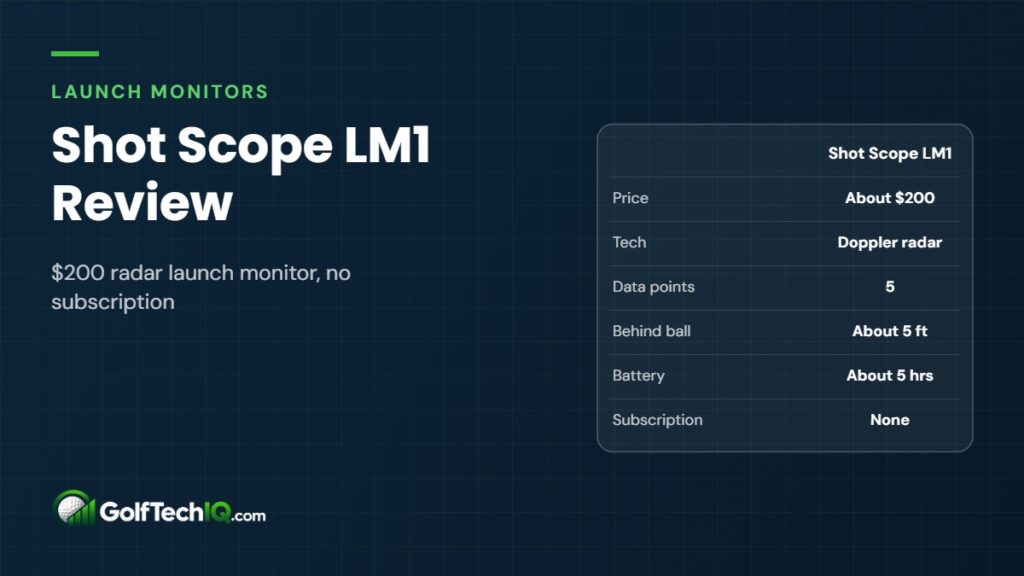
Short answer: The Shot Scope LM1 is a roughly $200 Doppler radar launch monitor that shows five numbers (club speed, ball speed, smash factor, carry and total distance) on its own 3.5-inch color screen, with no subscription. It is not a laser rangefinder and it does not run simulator software. Buy it if you want honest yardages and speed numbers at the range for the price of a few lessons. If you want spin, launch angle or a home sim, spend more on a Garmin R10 or Rapsodo MLM2PRO.
We didn’t test the LM1 ourselves. We sized it up by the numbers: what it measures, how much space it needs, price, ongoing costs, battery life and what software it works with. We pulled those facts from Shot Scope’s launch material, authorized retailers and published reviews from golf media, listed at the end.
Shot Scope LM1 at a glance
| Spec | Shot Scope LM1 |
|---|---|
| Price | About $200 (MSRP $199.99) |
| Tracking tech | Doppler radar |
| Data shown | Club speed, ball speed, smash factor, carry, total distance |
| Spin and launch angle | Not shown |
| Screen | 3.5-inch color display on the unit |
| Modes | Practice, On-Course, Speed Training |
| Placement | About 55 inches (roughly 5 ft) behind the ball |
| Battery | About 5 hours, USB-C charging |
| Shot storage | Up to 1,000 shots on the device |
| Weather rating | IPX3 (light rain) |
| Weight | About 300 g (10.6 oz) |
| Subscription | None |
| Simulator software | Not supported |
| Laser rangefinder | No |
Check price on Amazon Check price at The Indoor Golf Shop
Is the LM1 a launch monitor and rangefinder in one?
No, and this is the most common mix-up we see. Shot Scope is best known for GPS watches and laser rangefinders, so it is easy to assume the LM1 is a hybrid. It isn’t. Every spec sheet and launch announcement we found describes it as a radar launch monitor only. There is no laser, no optics and no slope reading.
Shot Scope still sells its rangefinders as separate products (the PRO L2, PRO ZR and PRO L5 lines). What the LM1 does share with them is the Shot Scope app. Its On-Course mode is meant for practice rounds, and the data can feed into the same profile your Shot Scope watch or tracking tags use. That is an ecosystem link, not a built-in rangefinder.
So if you need yardages to the flag, you still need a rangefinder or GPS. More on that choice further down.
What the LM1 measures and how
The LM1 sits behind the ball and bounces Doppler radar off the club and ball, the same basic approach used by far more expensive radar units. From that signal it reports five numbers:
- Club speed: how fast the clubhead is moving at impact.
- Ball speed: how fast the ball leaves the face.
- Smash factor: ball speed divided by club speed, a quick read on strike quality.
- Carry distance: how far the ball flies in the air.
- Total distance: carry plus estimated roll.
Club and ball speed are the numbers radar reads most directly. Smash factor is simple math from those two. Carry and total are estimates. Shot Scope told MyGolfSpy the unit reads spin only as far as its algorithm needs to project distance, and it doesn’t show you spin, launch angle, peak height, club path or face angle.
That’s a narrow data set, but it’s the one most amateurs actually use: how far each club carries and how fast they swing. If you want to see how speed translates to distance, try our swing speed distance calculator.
The three modes
- Practice: pick a club with the side buttons and hit. Numbers show on the screen after each shot.
- On-Course: for practice rounds, with data that can sync into Shot Scope’s shot tracking.
- Speed Training: reads clubhead speed from a club or a speed-training stick. One reviewer noted it sometimes picked up the backswing instead of the downswing.
Accuracy: what reviewers found
Shot Scope says its own testing put LM1 distances within a couple of yards of tour-grade units with range balls, and closer with premium balls. Independent reviewers who compared it against Foresight units came away mostly positive with caveats:
- Golf Monthly found outdoor numbers very close to a GCQuad, with carry within 3 to 4 yards of rangefinder-checked distances on the course. Indoors against a GC3 it drifted more, especially on shots with a lot of curve.
- Golfalot found ball speed close to a GCQuad with wedges and irons but saw carry run optimistic, about one club long with a 6-iron and roughly 5% long with driver. It didn’t miss a shot in a couple of hours.
Our read: treat the speed numbers as trustworthy and the carry numbers as good gapping guides, not fitting-grade truth. That’s normal for a sub-$300 radar unit without full spin and launch measurement.
Data on the device and in the app
The 3.5-inch color screen is the LM1’s best practical feature at this price. You don’t need a phone or tablet to see your numbers, and there’s no pairing step before you start. Several reviewers clocked about 25 seconds from power-on to the first tracked shot.
The unit stores up to 1,000 shots. Syncing to the Shot Scope app is optional and gives you session history and long-term trends. Two small gripes from early reviews: Bluetooth has to be switched on in the device settings before it will connect, and one reviewer couldn’t delete stray shots from a session at the time of testing. The screen is also harder to read in bright, direct sun.
Subscription and ongoing costs
There is no subscription. Shot Scope’s launch announcement says there are no ongoing fees, and the app keeps your session history without a paid tier. Every review and retailer listing we checked agrees. That’s a real difference from the Rapsodo MLM2PRO, which needs a paid Premium plan for most of its features after the trial, and the Garmin R10, which needs a Garmin Golf membership for its virtual courses.
Your only extra cost is optional gear like a net or mat if you plan to hit indoors.
Range use vs home simulator use
The LM1 is a practice tool. It does not connect to GSPro, E6 Connect, Awesome Golf or any other simulator software, and it has no virtual course play of its own. Golf media coverage from MyGolfSpy and SI both state plainly that it doesn’t do sim play.
Where it fits best:
- Driving range: check carry for each club and build a yardage chart. This is where it works best, since radar has full ball flight to read.
- Practice rounds: On-Course mode and the Shot Scope app tie your numbers to real holes.
- Indoor net or garage: fine for speed and strike feedback, but reviewers saw less reliable carry indoors, especially on curving shots.
- Speed training: works anywhere you can swing, with or without a ball.
If a home simulator is the goal, the LM1 is the wrong tool. Start with our Garmin R10 vs Rapsodo MLM2PRO comparison instead.
Space and setup
Set the LM1 about 55 inches behind the ball, on a straight line toward your target. Shot Scope’s shortcut is to lay your driver behind the ball and add about one grip length. There is no calibration or alignment step beyond pointing it down the line.
That’s a shorter footprint behind the ball than the Garmin R10 or Rapsodo MLM2PRO, which both want roughly 6 to 8 feet. But radar still needs to see the ball fly, and Shot Scope doesn’t publish a minimum distance to the net. If you’re planning a garage or spare-room setup, run your dimensions through our golf simulator room size calculator and check our guide to launch monitors for small rooms and low ceilings.
Battery and build
Battery life is rated at about 5 hours per charge, charged by USB-C. That’s plenty for a couple of range buckets, though shorter than the Garmin R10’s rated 10 hours. The unit weighs about 300 grams, comes with a zippered case and fits in a golf bag pocket. It’s rated IPX3, which covers light rain, not a downpour.
Pros and cons
Pros
- About $200 with no subscription, ever
- Built-in color screen, no phone required
- Fast setup, about 25 seconds to first shot
- Short footprint, about 5 feet behind the ball
- Stores 1,000 shots and syncs to the Shot Scope app
- Dedicated speed training mode
Cons
- Only five data points, no spin, launch angle or club path
- No simulator software support
- Not a rangefinder, despite what some buyers assume
- Carry can read optimistic, and indoor accuracy is weaker
- About 5 hours of battery and only light rain protection
Shot Scope LM1 vs Garmin R10 vs Rapsodo MLM2PRO
| Shot Scope LM1 | Garmin Approach R10 | Rapsodo MLM2PRO | |
|---|---|---|---|
| Price | About $200 | About $500-600 | About $700 |
| Tech | Radar | Radar | Radar + cameras |
| Data points | 5 | 14 | 15 |
| Spin | Not shown | Estimated | Measured (with Callaway RPT balls) |
| Own screen | Yes | No (phone app) | No (phone app) |
| Behind the ball | About 5 ft | About 6-8 ft | 6.5-8.5 ft |
| Battery | About 5 hrs | Up to 10 hrs | 2-4 hrs |
| Sim software | None | GSPro, E6, Awesome Golf, Home Tee Hero | GSPro, E6 and Awesome Golf (Premium) |
| Subscription | None | Garmin Golf $99.99/yr for virtual courses | Premium $199.99/yr after trial |
LM1 vs Garmin R10
The Garmin Approach R10 costs two to three times as much but does far more. It reports 14 data points, including launch angle, club path, face angle, angle of attack and estimated spin, and it powers home simulator software like GSPro and E6 Connect. It runs through your phone rather than its own screen, and its virtual courses need a Garmin Golf membership at about $99.99 a year.
Pick the R10 if you want to work on why the ball goes where it does, or if you might build a sim later. Pick the LM1 if you only care about speed and carry and want zero ongoing cost.
Check price on Amazon Check price at The Indoor Golf Shop
LM1 vs Rapsodo MLM2PRO
The Rapsodo MLM2PRO, about $700, pairs radar with cameras and adds shot video. It lists 15 metrics and measures spin directly when you use Callaway RPT balls. It works with GSPro, and with E6 Connect and Awesome Golf on a Premium plan. That plan is the catch: after a 45-day trial it runs about $199.99 a year, so the true cost over a few years is far beyond the LM1’s one-time $200.
Pick the MLM2PRO if you want the deepest data and video at home. Pick the LM1 if you mostly practice at the range and don’t want another subscription.
Check price on Amazon Check price at The Indoor Golf Shop
LM1 vs buying a separate rangefinder
Since the LM1 doesn’t measure distance to a target, it isn’t a substitute for a rangefinder. The two answer different questions. A rangefinder tells you how far it is to the flag. The LM1 tells you how far you actually carry each club. You need both numbers to pick the right club on the course.
If your budget only covers one, think about where you lose strokes. If you often don’t know the yardage, a rangefinder helps more and good budget models cost less than the LM1. See our picks for the best budget golf rangefinder. If you know the yardage but keep guessing which club goes that far, the LM1 fills that gap. Many golfers end up pairing a budget rangefinder with the LM1 for roughly the price of an R10 alone.
Who should buy the LM1, and who should skip it
Buy it if you:
- Want a carry chart for every club without paying for a fitting
- Practice mostly at the range and want numbers without a phone
- Are doing speed training and want a club speed readout
- Already use Shot Scope gear and want practice data in the same app
- Refuse to pay another subscription
Skip it if you:
- Want to play virtual courses at home
- Need spin, launch angle or club path to fix a slice or hook
- Expected a rangefinder built in
- Will hit mostly into a short indoor net
Verdict
The Shot Scope LM1 does a small job well for not much money. For about $200 with no subscription, you get club speed, ball speed, smash factor and carry on a built-in screen, set up in under 30 seconds. It isn’t a rangefinder and it isn’t a simulator. Judged as what it is, a simple range companion for gapping and speed work, it’s one of the easiest launch monitors to recommend on value. If you want more data or a home sim, the Garmin R10 is the next step up.
Check price on Amazon Check price at The Indoor Golf Shop
Part of our guide: Launch Monitor Guide
FAQ
Does the Shot Scope LM1 have a built-in rangefinder?
No. The LM1 is a radar launch monitor only. Shot Scope sells laser rangefinders as separate products, and they share the same app.
Does the LM1 launch monitor require a subscription?
No. Shot Scope says there are no ongoing fees, and the app keeps your session history for free.
Does the Shot Scope LM1 work with GSPro or other sim software?
No. It doesn’t connect to GSPro, E6 Connect, Awesome Golf or any simulator platform. It’s built for practice data, not course play.
Does the LM1 measure spin?
It doesn’t display spin. Shot Scope says it reads enough spin internally to estimate carry, but you only see club speed, ball speed, smash factor, carry and total distance.
Can I use the LM1 indoors?
Yes, it’s rated for indoor and outdoor use. Speed numbers hold up well indoors, but reviewers saw less reliable carry into a net, especially on curving shots. Pair it with a solid golf practice net and leave as much ball flight as you can.
How far behind the ball does the LM1 go?
About 55 inches, or roughly 5 feet, on a straight line toward the target. Shot Scope suggests laying your driver behind the ball and adding one grip length.
Sources: Golf Digest, Golf Monthly, Golfalot, Today’s Golfer, MyGolfSpy, SI Golf, Shot Scope launch release (First Call Golf), PGA TOUR Superstore, PlayBetter (Rapsodo MLM2PRO), Stymie (Garmin R10)
Keep reading
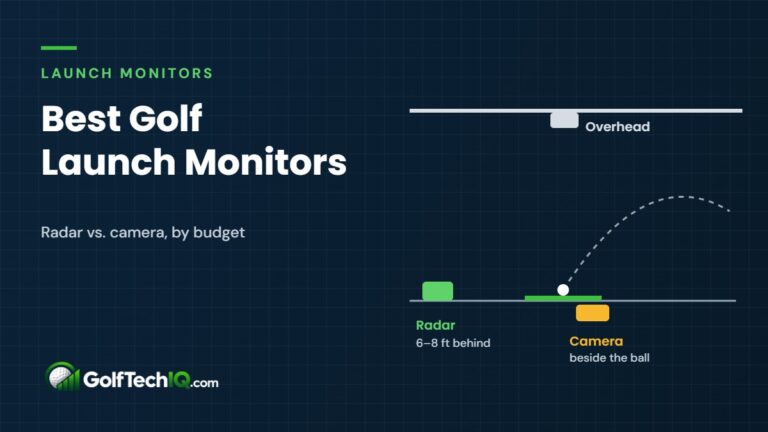 Best Golf Launch Monitors (2026): 10 Picks by Budget
The best golf launch monitors of 2026 compared by price, room space, data and yearly subscription, from the $200 Shot…
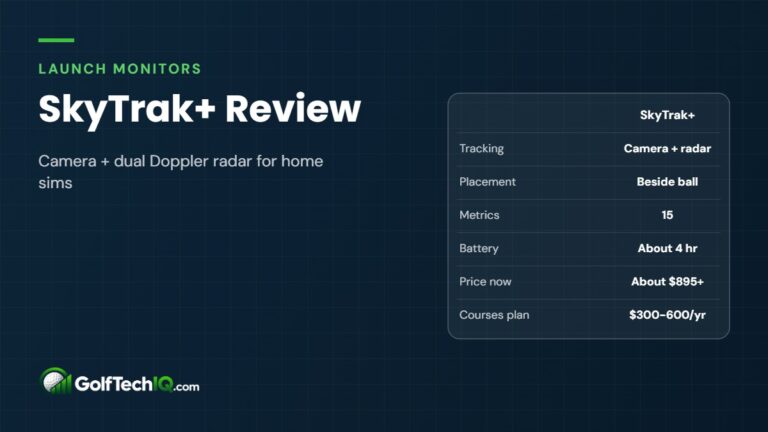 SkyTrak+ Review (2026): Photometric Plus Radar for Home Sims
The discontinued SkyTrak+ pairs a photometric camera with dual Doppler radar and sits beside the ball, making it a strong…
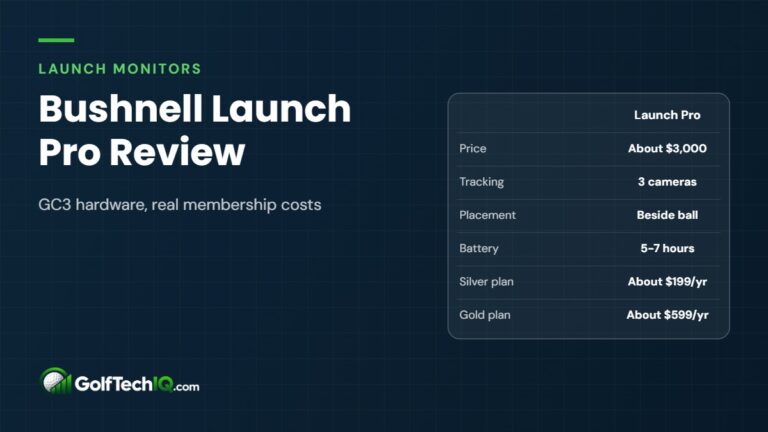 Bushnell Launch Pro Review (2026): GC3 Accuracy, Subscription Costs
The Bushnell Launch Pro packs Foresight GC3 camera hardware for less than half the price. Here is what it measures,…